5/02/17
Even though this game will primarily focus on slogging through dark and slimy dungeons in VR... you can't truly dread the dark without leaving the light. Plus Unity has some decent Terrain tools built in that are just too fun (though a bit quirky) to pass up. Initially the game will feature a small starting area outside of the dungeon to recover, heal up, and maybe catch a few rays of sun before stumbling back into the frey. Later I'd like to see the procedural dungeon design extend to procedural landscapes to wander on the surface to find more dungeons and towns to sell your loot. But until then, here's a few screenshots of what the outdoors look like.
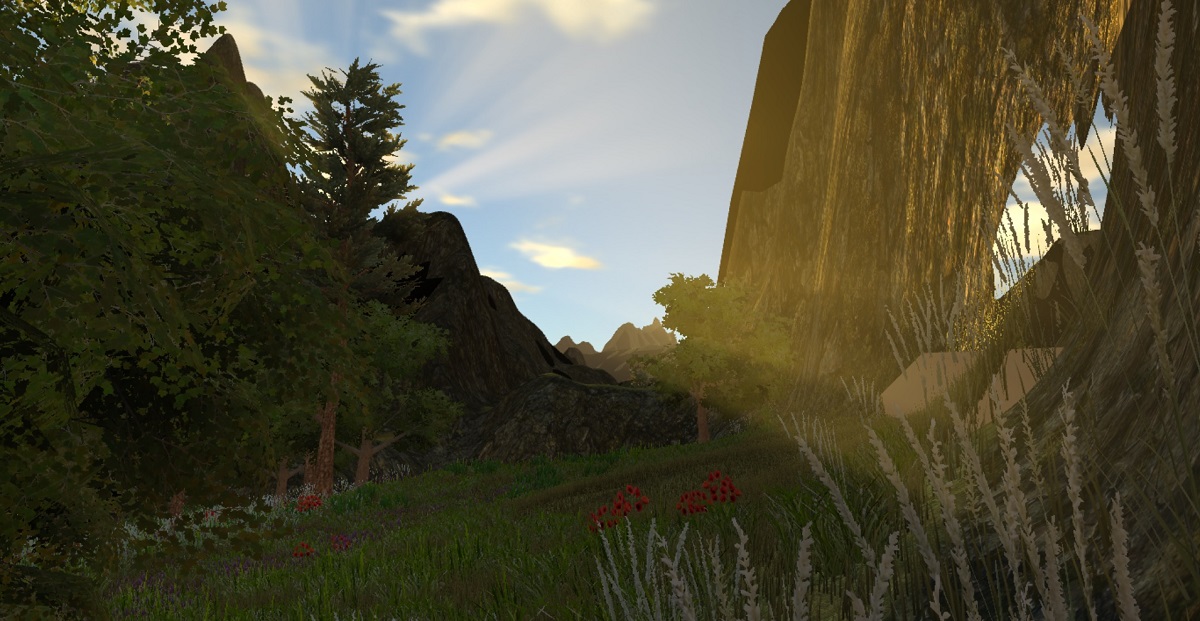
Our first pass at an Outdoor Terrain.
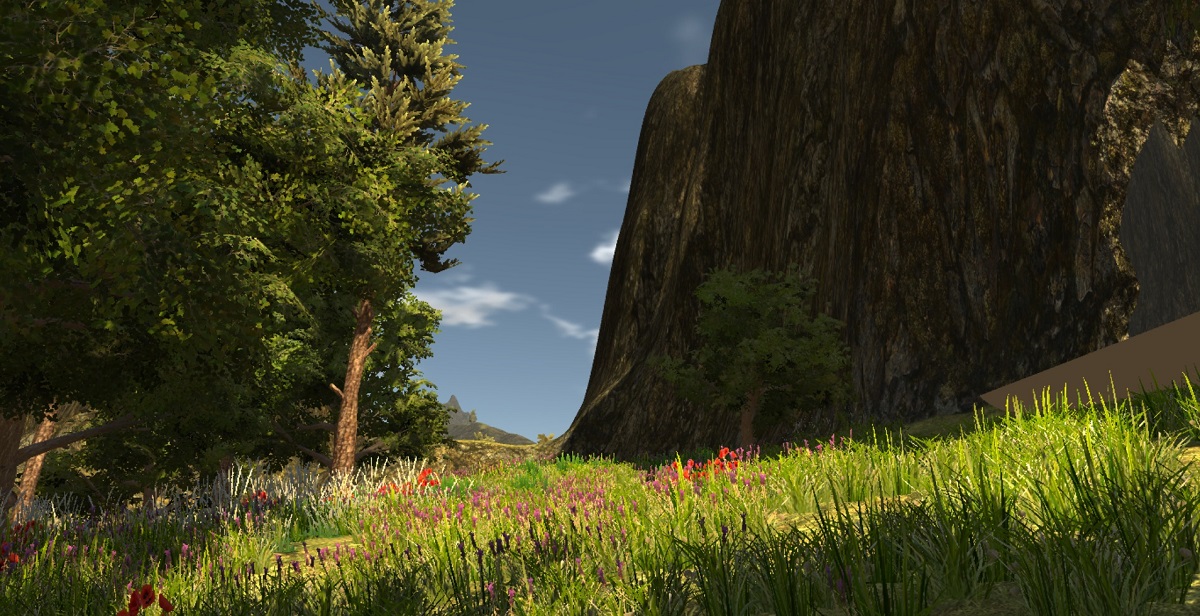
You can see the hole in the terrain that had to be cut for the dungeon entrance.
One of those quirks of the Terrain system is that it's very difficult to cut a hole in one for caves and entrances into a hillside or a cellar in house or something. In the first screenshot above you can see the hole I had to 'paint' out using third-party tools. Unfortunately cutting a hole in terrain needs to be more than just visual. The collision mesh is always there, so we need an invisible collision object the size of the entrance to turn off terrain collision when you enter and turn it back on when you leave. Not the most elegant solution, but it does allow some decent control.
4/27/17
I love the Inverse Kinematics tools available for Unity. As we start working on the VR combat system, visual feedback will be crucial for a truly immersive hand-to-hand fight. That means limb-specific damage as well as armor and shields that do more than just five you a higher defense number. You'll need to get you sword past the enemies shield to cause damage... or break through the shield first. The below video shows our first experiments with VR comabt. Just testing the hit indicators on a Skeleton as well as the procedural animations associated with it. Kind of jiggly right now, but we should be able to improve on that.
Poking Skeletons with the VR Motion Controllers
4/15/17
Here's what our dungeon skeletons are shaping up to look like. I love Polygon Blacksmith's Skeleton Pack with its array of swappable weapons and armor along with some pretty solid animations. Unfortunately the skeleton itself is a little to low-poly for first-person VR, so I combined it with Mister Necturus's Dungeon Skeleton model and textures. It's just a high-quality collection of un-rigged meshes, so it took some effort to rig them and combine it into the Polygon Blacksmith model, but the end result is an easily animated high-res skeleton with a nice set of gear that I can turn on and off for variety.
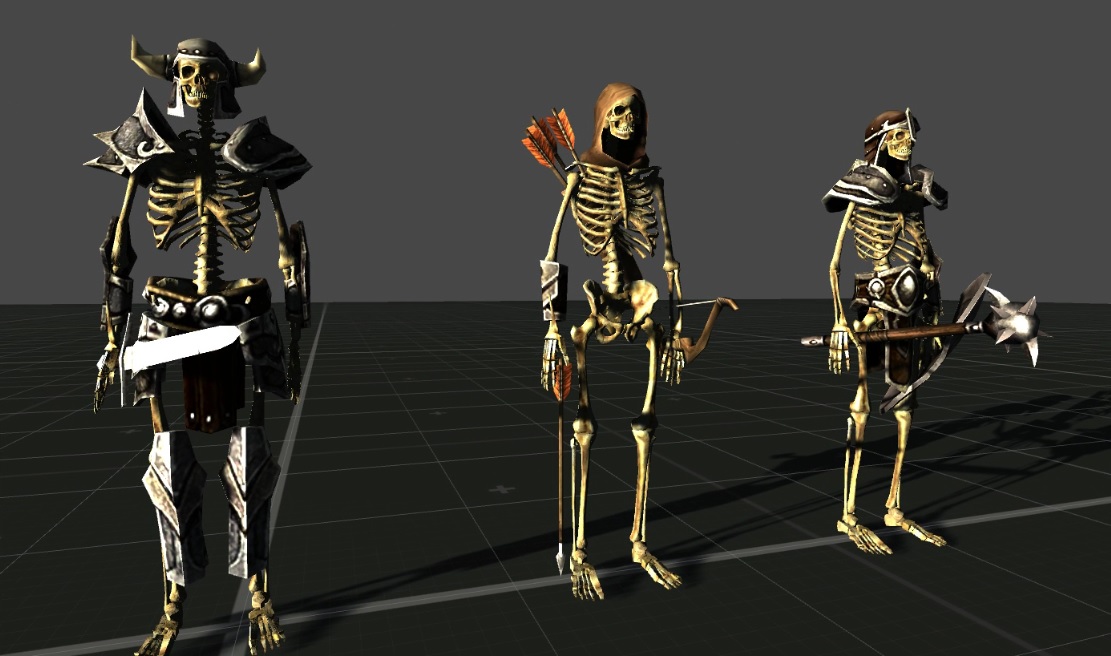
vrDungeon Sample of Configurable Skeleton Enemies
4/08/17
We've been playing with a wide range of tools and tutorials to learn the best way to structure a project so that it can scale properly. There doesn't seem to be a single concensus, but I've definetly found that keeping third party assets in their original asset folders helps immensly when updates to them are published. If I'm just using some meshes or textures I'll go ahead and copy them into the main project asset folder and treat them like custom assets, particularly if I'm making any modifications to them. But overall leaving the originals in place helps keep everything up to date.
I've also learned the hard way that immediately applying third party asset updates is a recipe for trouble. Of course we always make backups before applying changes, but it doesn't take much for one small change in an asset to ripple throughout the codebase. Particularly when Unity is also making changes that affect our code and that of the third-party coders.
2/24/17
We're really happy with the motion effects on the torch, so we recorded a short video the other night to show it off, along with the Flame Controller being used to light wall torches with the motion controllers. Really happy with the results so far. It's even more impressive in VR, in my opinion, so I'll see if I can figure out how to record some video as a SBS 3D file.
Lighting Torches with the VR Motion Controllers
2/23/17
Here's our progress so far on implementing the A* Pathfinding code. A little trickier than we thought since the NPCs and Mobs spawn before the random dungeon has completed, so they fall into the abyss without the proto-typical 'NPC Drop' trick of elevating them enough to land on the ground once it's done building. Later we'll implement a spawner object to handle it properly.
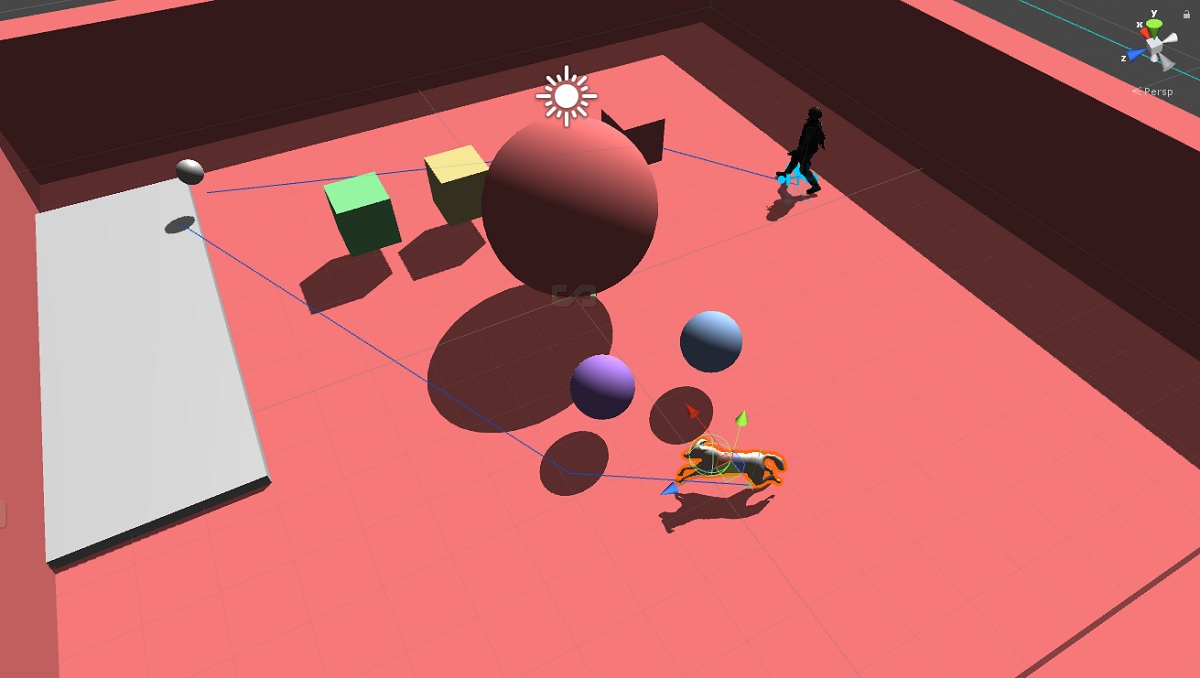
A* Pathfinding of Simple NPCs and Mobs within Random Dungeon Rooms.
The A* Navmesh builds flawleslly, though. So while this option does not include the Behavior AI features that are built into Rain AI, we can handle those ourselves. Since this VR experience will be more about immersion than waves and waves of baddies, I'm hoping we can finely craft AI that reacts and fights with more realism than hundreds of orcs mindleslly rushing the player or something. Should help with framerates as well to make the battles more about fighting smaller numbers of smarter creatures rather than hordes of idiots.
2/19/17
Since we gave up on Rain AI a few months ago and we're getting close to the point where a bad guy or two would be a fun addition, I picked up Aron Granberg's excellent A* Pathfinding asset as a replacement. The package contains a ridiculous amount of features, more than we could ever need for this project. But one of the development ethics I try to instill in the kids is the idea of developing beyond the current project and into the next if possible.
While this isn't an invitation to over-engineer and lose focus, it's simply re-enforcing the idea that spending the time to learn a more robust toolset can pay dividends down the road. Yes it slows down the immediate gratification of using a simpler tool with a shorter learning curve, but in the end it also opens up the possibility of features and benefits down the road that we might not even think of now. We'll see if it works.
2/12/17
Crates. That's it. Just crates. But they look cool in VR.
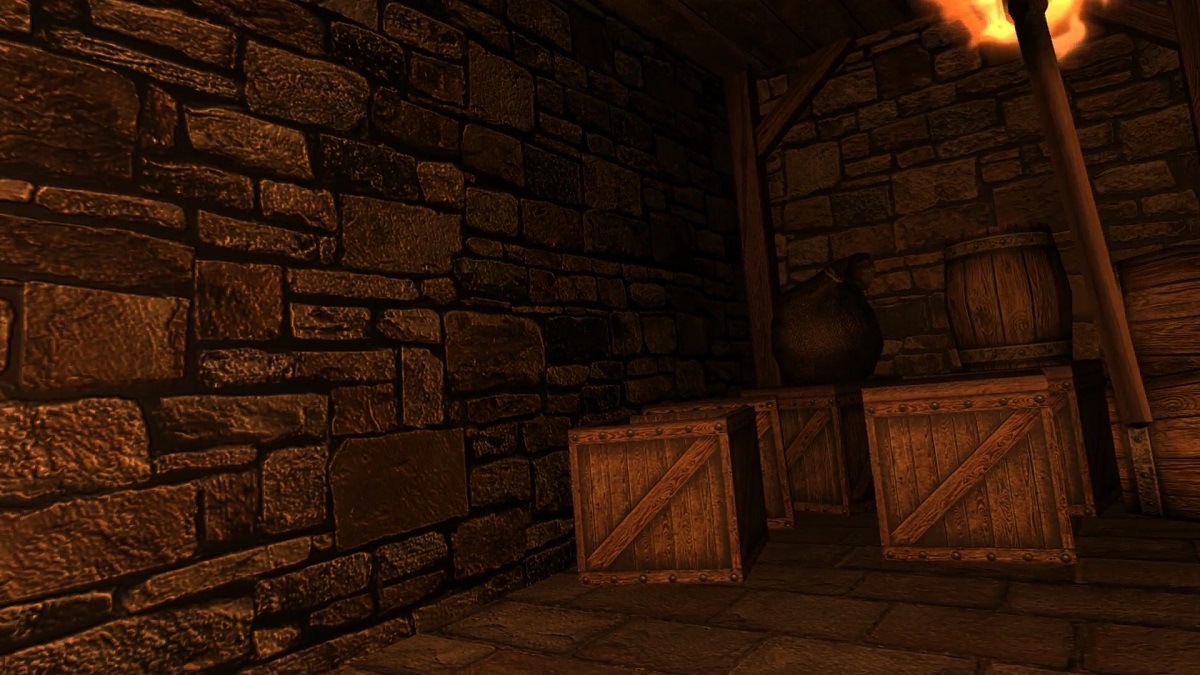
Wooden crates. Why would nobility store goods and wooden crates in a damp Dungeon? Who cares. Crates.
1/20/17
A quick note on the name VR Dungeon as a few people have been asking. Yes there is another SteamVR game out there called VR Dungeon, and no it's not us? :)
It's actually a pretty cool little co-op dungeon puzzler, and I'd recommend checking it out. When we first started this project last year we had no idea what to do with it, and I happened to already have the vrDungeon.com domain... so we figured it would be the perfect place to host the project until we came up with a real name for the game. So if you're here looking for the other vrDungeon game, check it out on Steam. VR Dungeon Co-op Game on Steam
1/14/17
We have a new torch! While the wall-mounted torch was fine as a temporary measure, it was time to move on to something new. This also gave us a chance to play around with the particle and shader system inside of Unity. This is, afterall, a learning experience for the kids and myself as well since I'm used to coding games from scratch or with custom game engines.
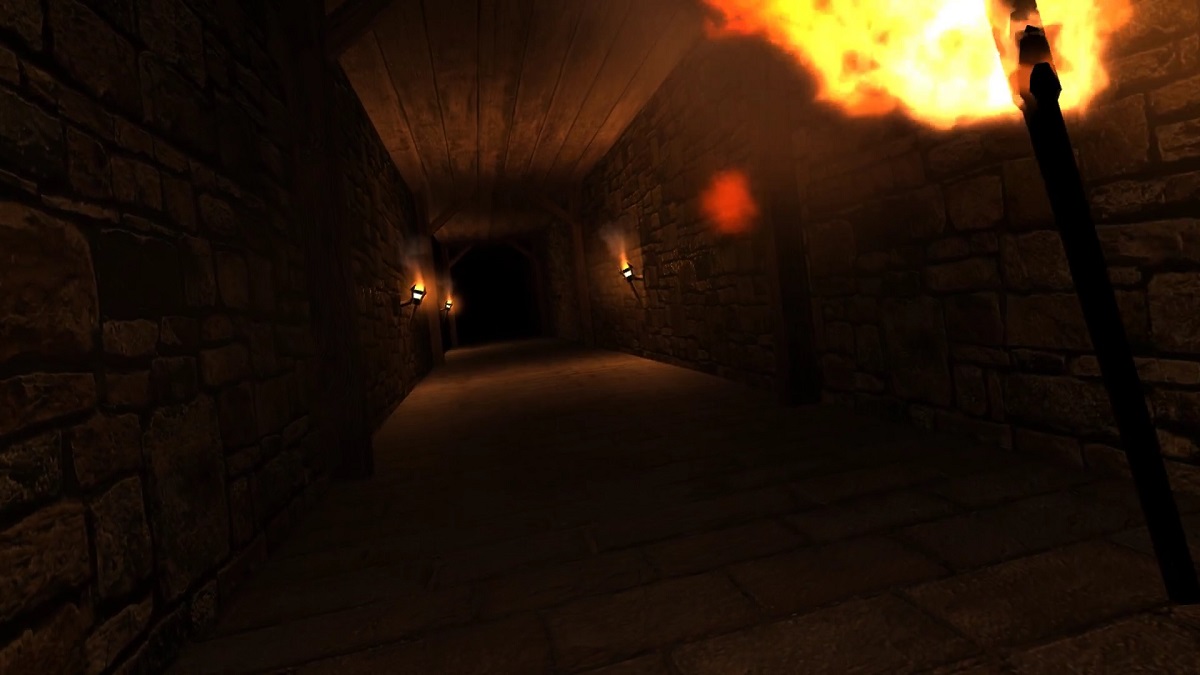
Oculus Touch controlled Torch with short and long-range lighting effect.
While it didn't take much time at all to get the fire looking like fire, it was a little more work getting it to act like fire. Waving the torch around with a motion
controller is a lot of fun, but fire shouldn't point down with you invert the torch. That's where quaternions come in handy. Here's a quick fire controller that we added
to our flame gameobject.
public class FlameController : MonoBehaviour {
    void Update () {
		this.transform.rotation = Quaternion.LookRotation (Vector3.forward, Vector3.up);
	}
}
Combining this with setup of the flame and smoke emissions to simulate against the world rather than locally, and we have a flame that 'flows' with the movement of the to torch. The effect is very cool in the game. You eventually forget about it because it looks so much more natural than the pointy-flames from before.
1/07/17
Happy New Year! We took a little time off the game for the holidays and worked on some 3D printing projects along with general family revelry. But now that we have a set of Oculus Touch controllers we're very excited to delve back into the dungeon.
A few notes on Touch, the ergonomics are just as wonderful as everyone said. Very natural. Our favorite use of them is Arizona Sunshine which perfectly captures the essence of an 'action-based' interface. Grab ammo clips and 'attach' them to your belt. Reload by ejecting the clip and bring the gun to your belt to lock a new clip to the gun. These are all game mechanics that we would like to emulate in a Dungeon Crawler. While it was a little frustrating at first to get used to the idea of manually picking up objects rather than 'absorbing' them as you walk by, it eventually became as natural as aiming the gun. So I think it will work nicely in our game as well to promote that sense of immersion.
11/26/16
Not sure if RainAI is going to work for us afterall. It looks like it was a great solution at one time with a wide array of functionality, but it's simply too buggy to continue using. I spent several hours working with my youngest on the code, and while the demos that they provide seem to work just fine, replicating them in another environment seems to be problematic. He was able to get some things moving around, but the built in behavior scripting UI is flat out broken for us.
We even tried modifying the behavior values manually in the file, and while it helped a little it's just not a viable option. We'll evaluate some of the other pathfinding options or just roll our own.
11/10/16
We are starting to test the dungeon assets a little more in VR now rather than just throwing a VR camera in. SteamVR really provides an amazing set of tools and makes the entire process very easy to get up and running quickly. Unfortunately there seems to be a conflict with the Oculus camera rig because every time I run the application it raises the player camera up a few ticks. This persists between sessions, so the player keeps getting taller and taller.
Otherwise the overall VR effect is very striking. We've had to add some lighting modifiers to differentiate between VR and normal 3D testing since dark on a screen isn't the same as dark in VR. Inside the headset, even a little light can ruin the immersion, so we crank it down to nearly zero while in VR. We're going to total immersion in a dark dungeon, so the complete absence of light outside of the torch genuinely adds to the sense of dread and unease.
10/24/16
While we're working out the kinks on the AI system, I built a new larger room to add into the random dungeon pool. Eventually we'll have a wide range of multi-story rooms and areas, So this is a good test of the darker environments. I'd like to have most torches unlit so the player must light the rooms as they explore, but larger rooms like this might take some creativity to be able to light torches higher up. Flaming arrows maybe?
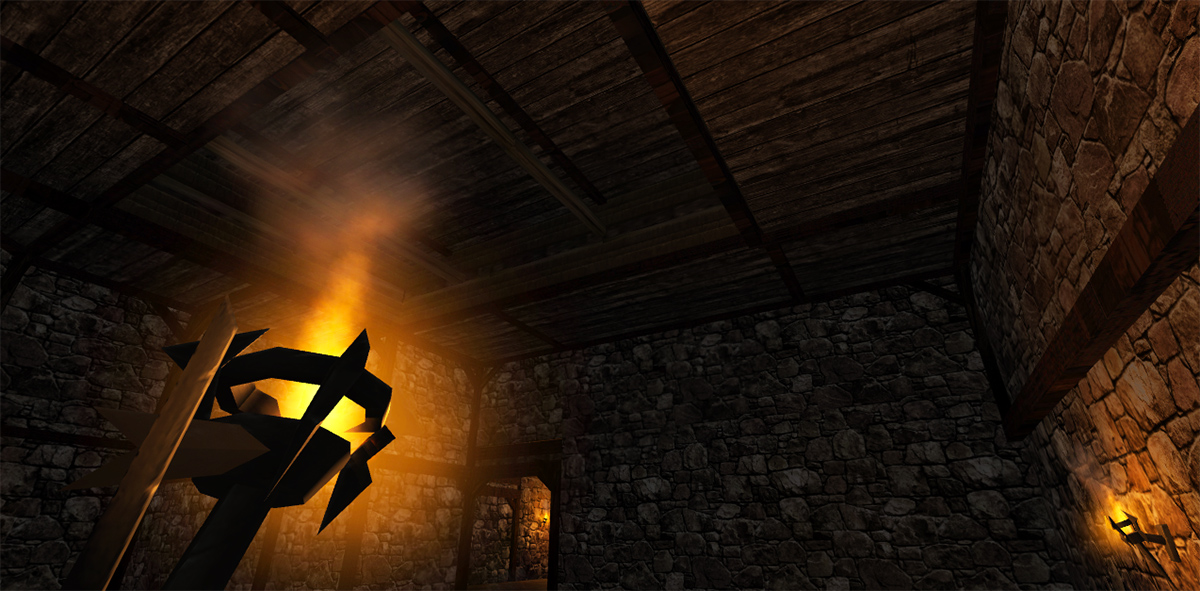
Larger room for the Dungeon Keep biome.
10/16/16
We're making progress on the AI, though I have to say that the RAIN AI asset for Unity is a fine combination of amazing and frustrating. It has a tremendous amount of flexibility and can support multiple navmeshes using a tag system so you can assign size-specific AI for small, medium, and large characters. It handles waypoints, random wandering, and triggered following using visual or audio queues. Unfortunately, it's an older package and I don't think it's supported much anymore, so what you get is what you get. Kind of buggy interface, and some of the features simply aren't available through their custom UI because the UI itself is broken. Shame, because it could be the perfect solution for our project.
So far we've been able to overcome the obstacles in RAIN AI, so for now we'll continue moving forward with it until we hit a blocker that we can't bypass. Here are a few examples of test AIs setup in the stock DunGen demo. If we can get the mob spawning and behaviors that we're looking for in here, we'll move them to the full project.
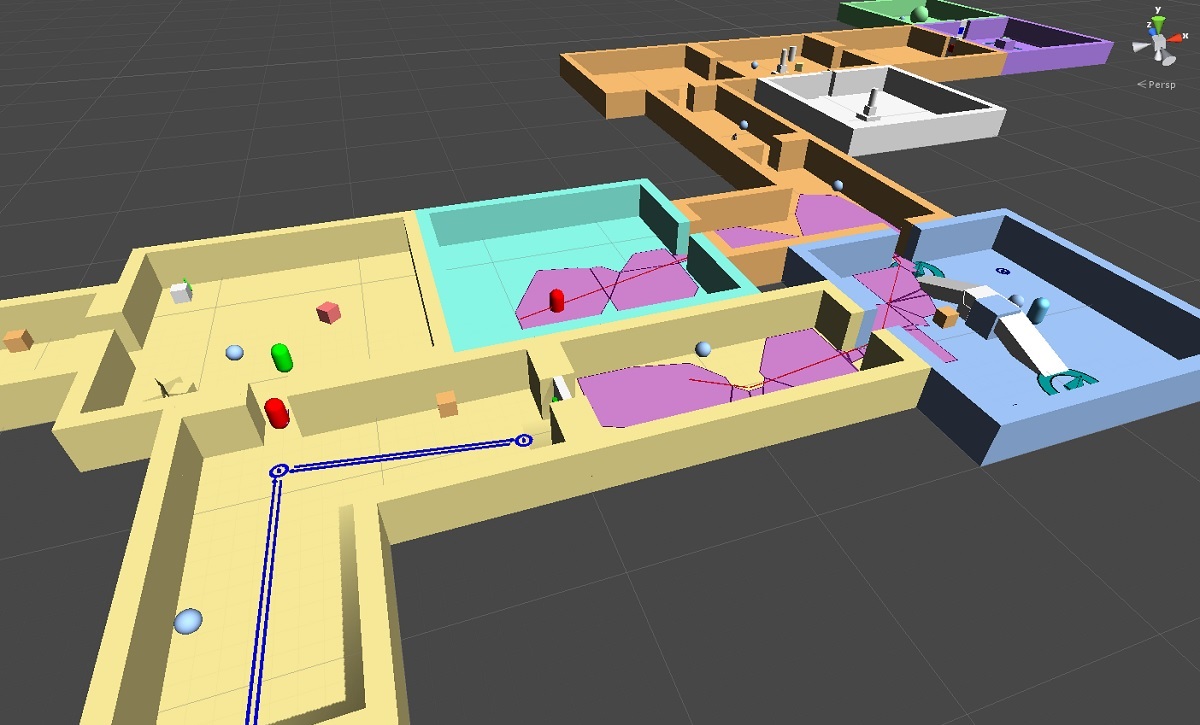
Testing RAIN AI for our Random Dungeon RPG
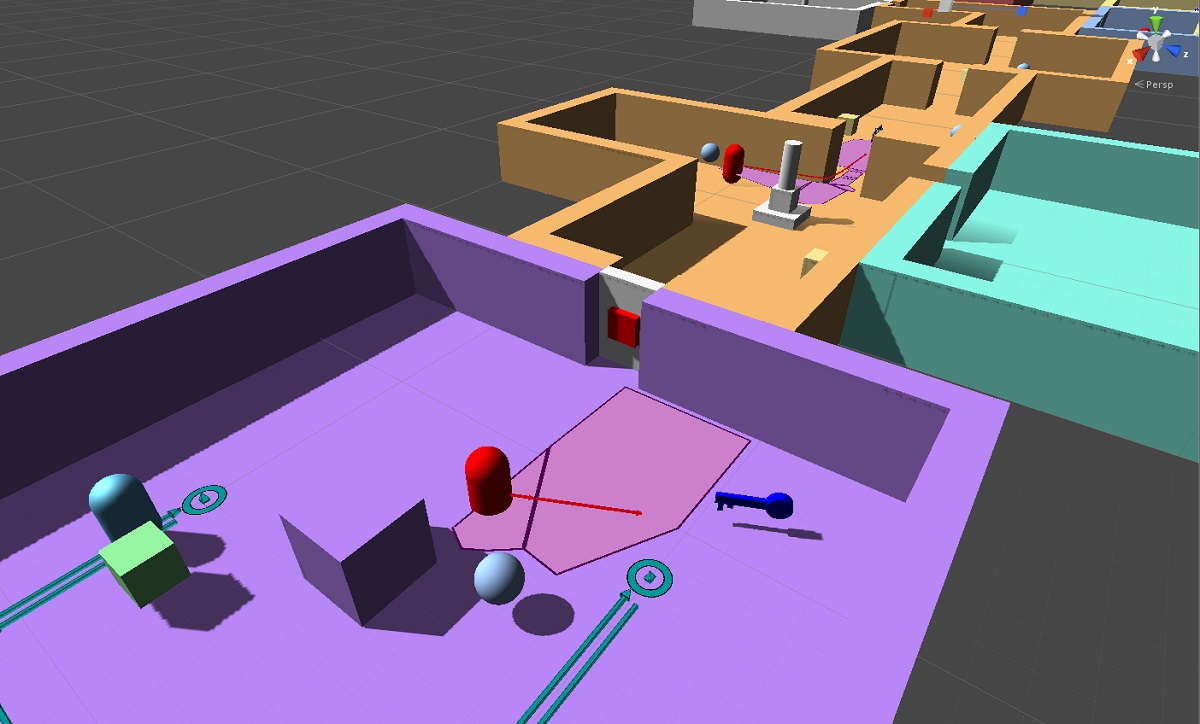
Patrolling and wandering AI navigating the random dungeon.
10/02/16
I put my youngest son (13 years old) in charge of researching some AI assets, and he was able to make some progress getting the RAIN AI module working pretty well in a demo project. Our initial goal for mobs is to start with a giant spider creeping around through the dark hallways and lurking in the shadows to pounce on the player as they wander around. RAIN AI has a nice setup of pre-built audio and visual sensors, but is extendable through code as well. It integrates nicely with the dungeon generator as well, building the navmeshes once the level has been built, so even though it's a little out-dated and buggy at times, we're going to try to make it work for us.
Meanwhile I spent some time coding some lightable torches to hang on the walls. The dungeon is incredibly dark now and your torch only illuminates so far. But if you find a torch on a wall you can hold your torch up to it and light it as well. Light enough torches and the room is lit up pretty well. This also provides a nice way to see where you've been. Ultimately I'd like for all torches to consume a certain amount of 'fuel', so you have a limited amount of time to do your business before they burn out or require more oil or something.
09/26/16
I've added two more Castle Keep modules to the random generator, adding a little more variety to the feel of the dungeon. I've turned up the lights to see the detail in the walls and wooden supports.

Adding More Castle-style modules.
One of the modules has 2 doorways that can be closed off as walls, and the other has 3, which results in some interesting layouts. Below you can see a configuration that looks like a large room with single separator walls in a radial pattern. This is a nice departure from long empty hallways broken up by single rooms.
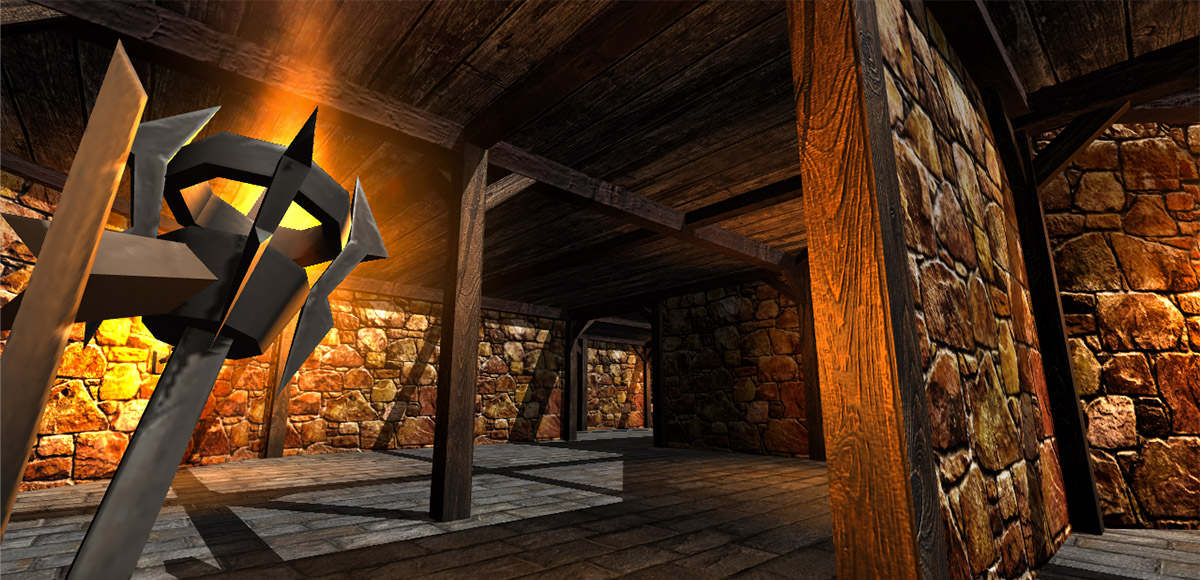
Medium-sized random dungeon room with wall separators.
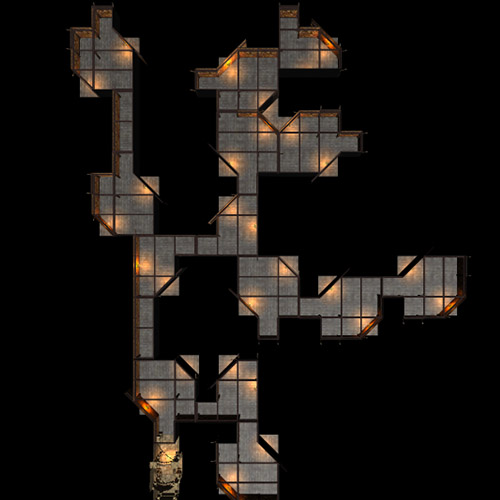
Top-down view of the random vr dungeon map.
09/23/16
We're now adding some new environments to the dungeon to compliment the current "crypt" theme. These will allow us to explore some different themes such as storage rooms, armory, forge, barracks, and other more traditional castle/dungeon elements.
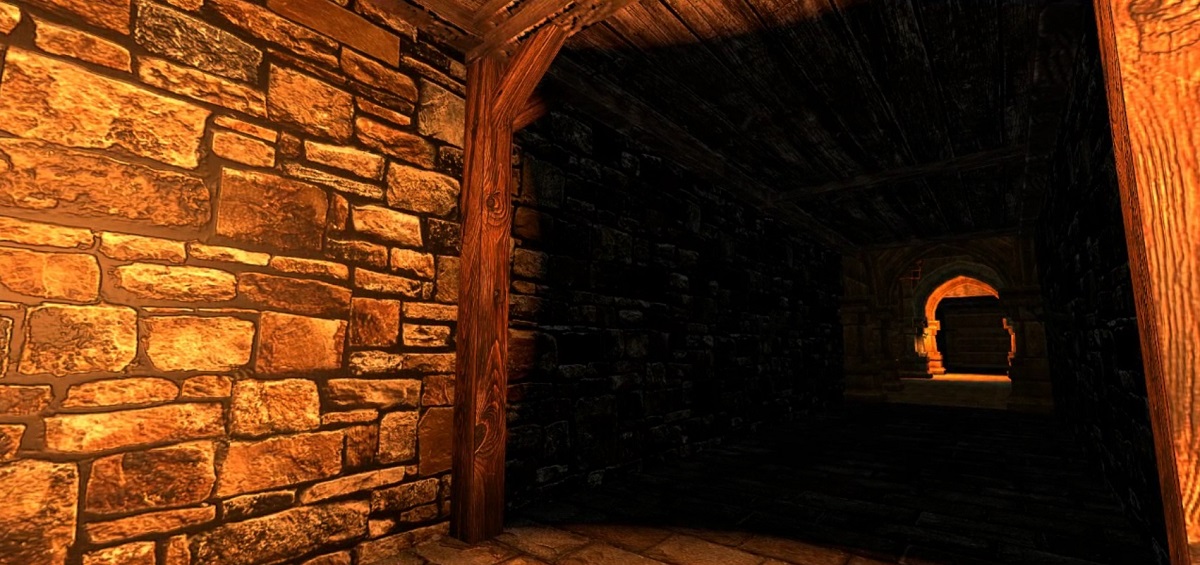
Adding Castle-style assets to go along with the crypt environment.
09/21/16
Here's a few screenshots of the new corridors. Again, smaller and more confined to offset the more expansive and vaulting rooms.
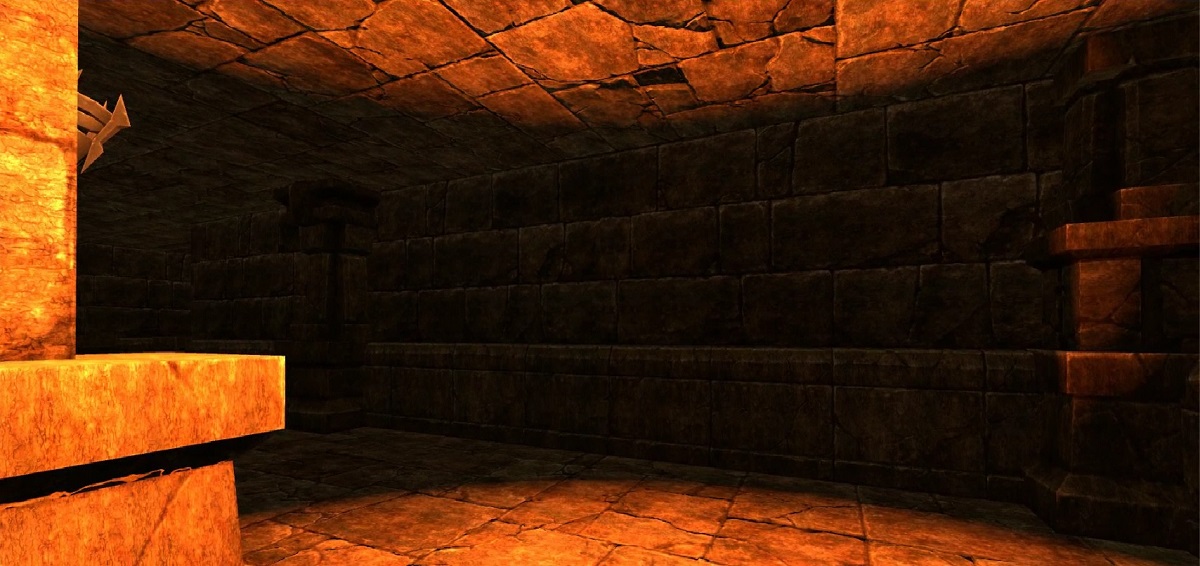
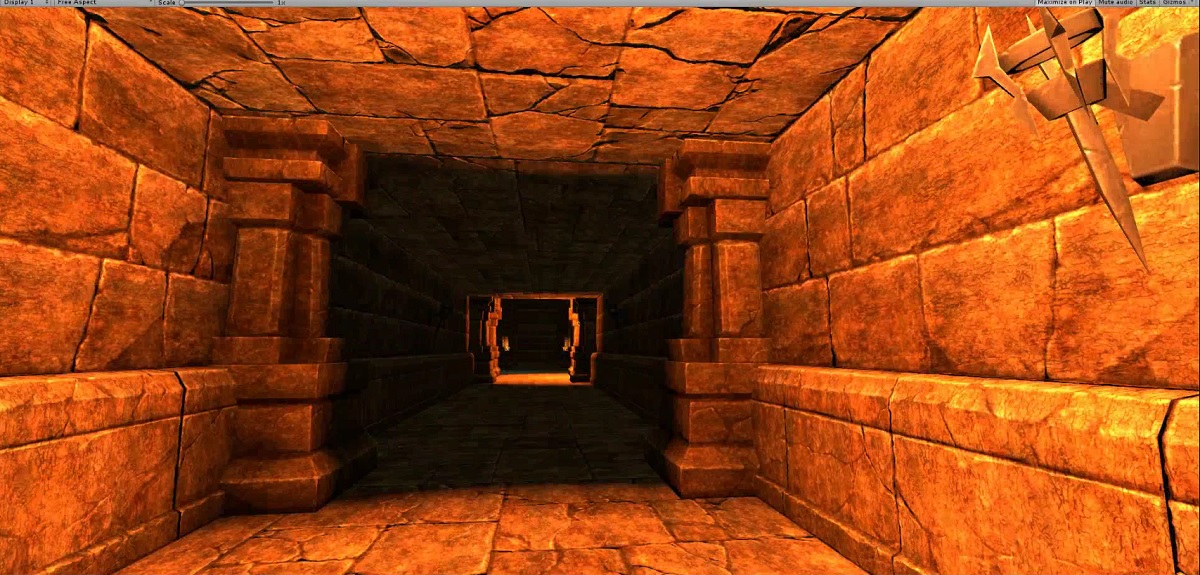
New lower corridor environments.
09/18/16
Spent some time building out a few new corridor types for the Crypt environment. While I absolutely love the vaulted archways and flying buttresses of the original asset package, they can become a little much when that's all you see. Sometimes you just want a cramped hallway to contrast the ornate architecture. When you walk out of small corridor into the beauty of the cathedral-like rooms, they stand out even more.
This exercise was also a good lesson in prefab construction and testing. A snap-to-grid process would be very beneficial if we were going to make a lot of these from scratch. For small-scale production, however, just aligning everything to standard numeric dimensions gets the job done.
09/15/16
Again, I can't say enough good things about the companies out there developing tools and making our lives easier. In this case... well done Valve. The SteamVR plugin for Unity makes integration with our Oculus CV1 a simple and almost embarrassingly easy task. Seriously, I set it up, dropped a component onto my camera, and a few clicks later we were looking around inside of our dungeon. Amazing.
Performance, not so amazing. We're still running on a GTX660, and though it has been a workhorse for years now dating back to Roller Coaster Tycoon3 (the reason for upgrading my card) it definitely struggles with large scenes in VR. So next up we're going to learn about culling.
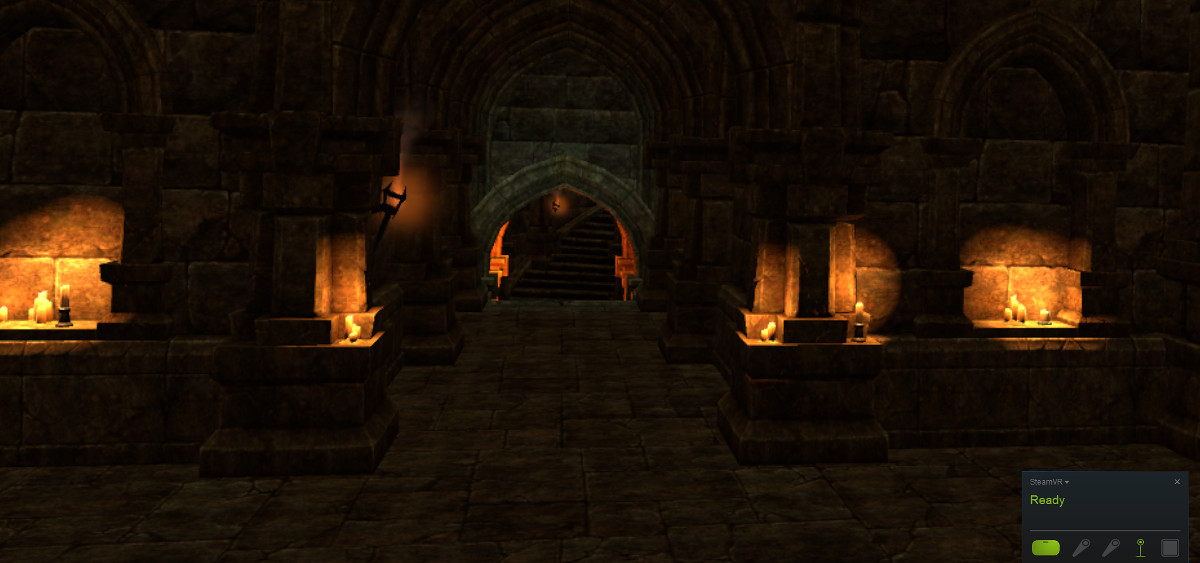
Adding in Head Tracking using SteamVR's Unity Component.
09/09/16
One of the perks of being a parent and a programmer is that it gives me access to some great tools to hopefully give my kids a taste of the experience early on. If they enjoy it, fantastic. If not, then at least they found out early that coding just isn't their thing. And since gaming is so prevalent in their lives at this age, it's an easier sell if we use game development as the vehicle for learning. Certainly how I got started with programming BASIC on the Atari 400.
Even if coding doesn't appeal to them, building things certainly does. Artwork, 3D modeling in Blender, making their own levels and game design decisions. These are things that few could experience at such a young age if it weren't for tools like Unity and UnrealEngine. So I can't express enough my gratitude for making these packages available for personal use. It's certainly inspired them.
Now for the Dungeon thing. After weeks of tutorials and making our own little games it's time to invest in some pre-built assets and build something that looks like a real game. After spending a little more time understanding the tools and the code behind them, here's a first look at a dungeon using a modified version of a pre-built set of prefabs.
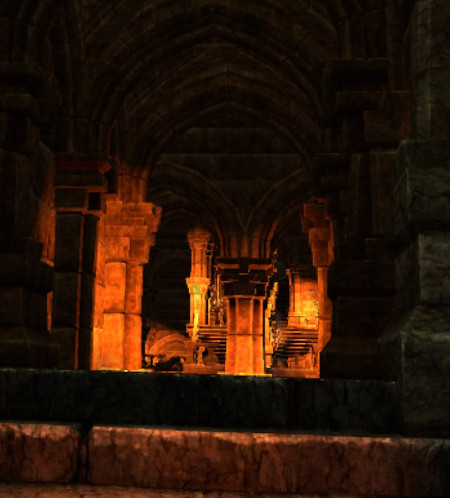
First Build using the Dungeon Assets.
Like many devs, my idea of art design could be grey doors on grey walls, so while developing the infrastructure and gameplay, we'll be using Mana Station's amazing artwork and assets. The final product may look nothing like this, or might look similar with new textures and models, or might look exactly like this, no idea at this time. Either way, the assets represent a gorgeous array of art and design, and we're happy to showcase it until we have the time to come up with a replacement.
In addition, we are using AegonGames excellent Dungeon Generator system as the backbone for the procedural / random environments. Very easy, flexible, and expandable... all of the things we're looking for as a small team. Initially the dungeons may look extremely repetitive, but as we begin to flex the tool's muscles, we should be able to bring much more variety to the underworld environments.